
What is training load, and how does Specular calculate it?
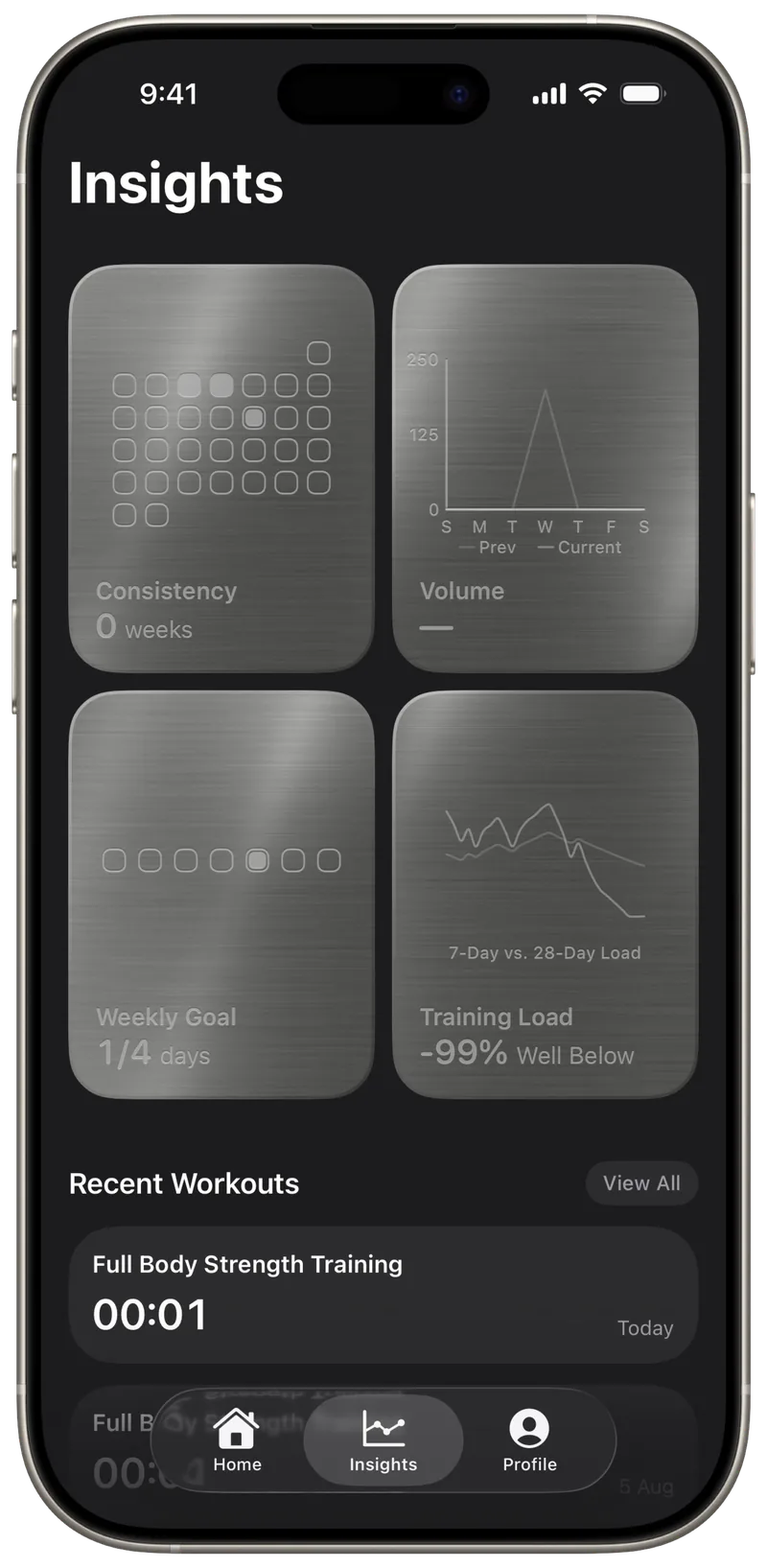
Training load compares the work you did in the last 7 days with your longer-term baseline. Specular shows it as a percentage above or below that baseline, calculated from the effort and duration of each session.
Training Load is part of Specular Pro. The app is a free download.
How is the load of one session calculated?
Each completed session's load is its effort score multiplied by its duration in minutes.
session load = effort (1 to 10) × minutes
A 45-minute session with an effort of 5 adds 225 to that day. Specular uses the effort you rate after the workout. If there is none, it uses the effort score from Apple Health, then Apple Health's estimated effort. A session with no effort score from any source adds no load. All sessions on the same day are added together.
How is the 7-day load calculated?
The 7-day load is a weighted average of your last 7 days of daily load, with the most recent days counting the most.
Today has a weight of 7, yesterday 6, and so on down to a weight of 1 for six days ago. A session today moves the number seven times more than the same session six days ago.
What is the baseline?
The baseline is an exponentially weighted average of your daily load across your whole history.
Each day, the new daily load counts for 2/34 of the baseline (about 6%) and the previous baseline keeps the rest. Recent weeks have the most influence and older sessions fade out gradually rather than dropping off on a fixed date. The Insights chart shows the last 28 days of both lines, labeled 7-Day vs. 28-Day Load.
What does the percentage mean?
The percentage shows how far your 7-day load is from your baseline.
training load % = (7-day load ÷ baseline − 1) × 100
If your baseline is 200 and your 7-day load is 240, the result is +20%. Specular labels the result with one of five statuses:
| Percentage | Status |
|---|---|
| −25% or lower | Well Below |
| Between −25% and −10% | Below |
| −10% to +10% | Steady |
| Above +10%, up to +25% | Above |
| Above +25% | Well Above |
The status describes your recent training relative to your own history. It is not a target, and it does not say whether a given level is right for you.
Why does it say Building?
Specular shows Building until your history covers 28 days, counted from the day of your first completed session.
Before then the baseline has too little history to compare against, so no percentage or status is shown.
Which workouts count?
Every completed session counts, whether you logged it in Specular or it was imported from Apple Health.
That includes workouts recorded on Apple Watch or in other apps, as long as they are saved to Apple Health and Specular has permission to read them.
How is muscle recovery different?
Muscle recovery is a separate calculation that powers Suggested For You on the Home screen, not the Training Load card.
Specular gives each muscle group a readiness score from 0 to 100 based on the sessions that worked it. The fatigue from a session halves every 48 hours. Suggested For You ranks your saved workouts by how ready their muscle groups are. When Apple Health has the data, sleep, resting heart rate and HRV adjust that ranking.
Is training load free?
No. The Training Load card, Suggested For You and rating effort after a workout are part of Specular Pro.
Logging sessions, Apple Health sync, weekly goals and the other Insights cards are free. Specular Pro is a monthly or yearly subscription, and prices are shown in the app.
Training load, recovery and suggestions are informational estimates based on your data and your Apple Health history. They are not medical advice. See the Terms of Service.
See your own training load
Specular calculates it from the sessions you log and the workouts already in Apple Health. No account needed.