
Workout tracker for iPhone
Log every set.
See your training load.
Specular records sets, reps, weight, time and distance in each session, then uses your history and Apple Health data to show training load, muscle recovery and what to train next. No account. Your workouts stay on your iPhone and sync through your own iCloud.
Free download. Specular Pro is optional, monthly or yearly.
- No accountOpen the app and start logging.
- Apple HealthReads and writes workouts.
- iCloud syncIn your own iCloud, not on our servers.
- Export anytimeCSV, JSON, TXT or .specular.
Features
From one set to months of sessions.
Six screens from Specular, in the order you use them.
-
 01
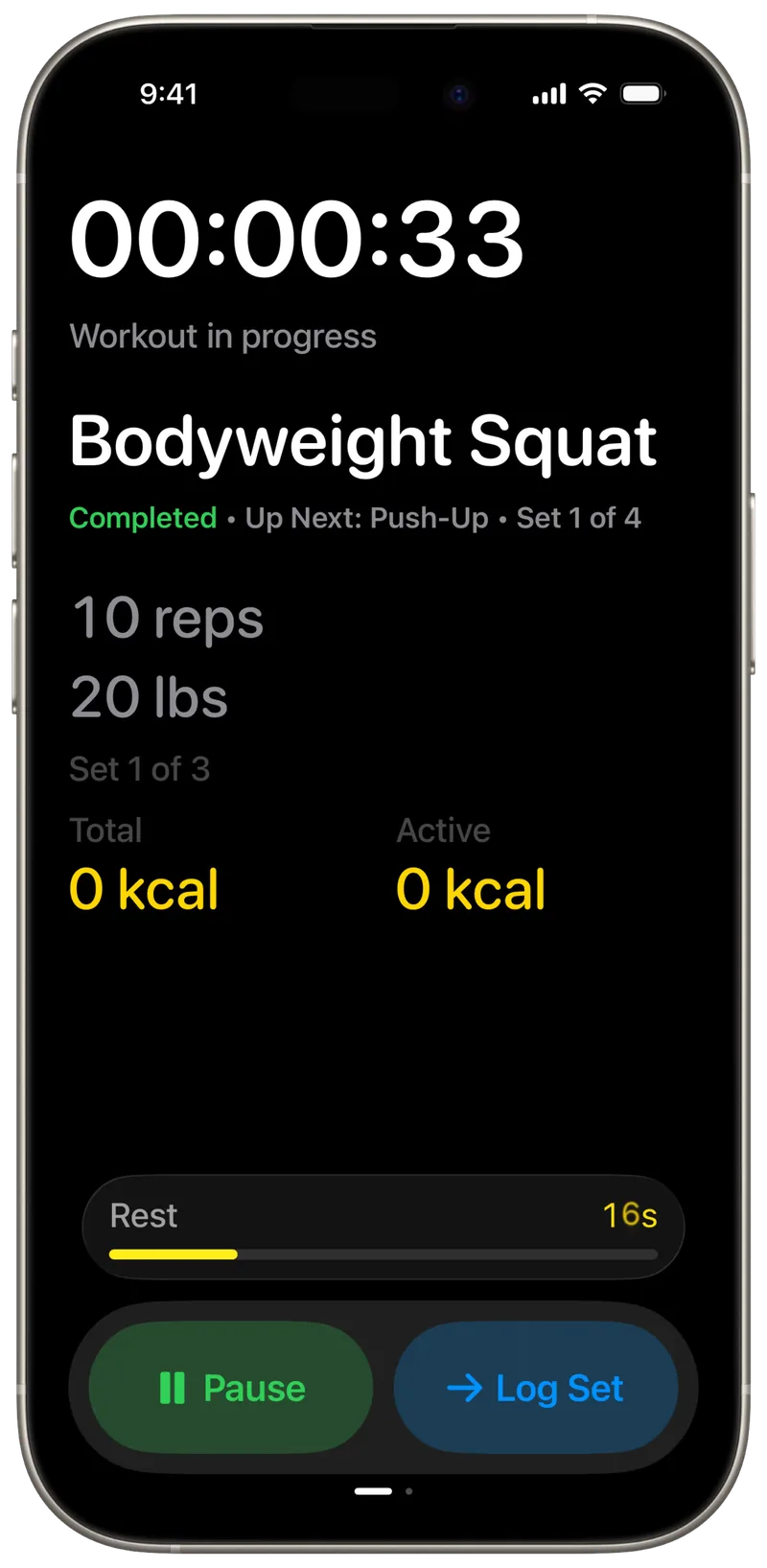
Log sets, reps and weight as you train
The session screen shows the current exercise, the set you are on, what comes next and your rest timer. Tap Log Set and keep going.
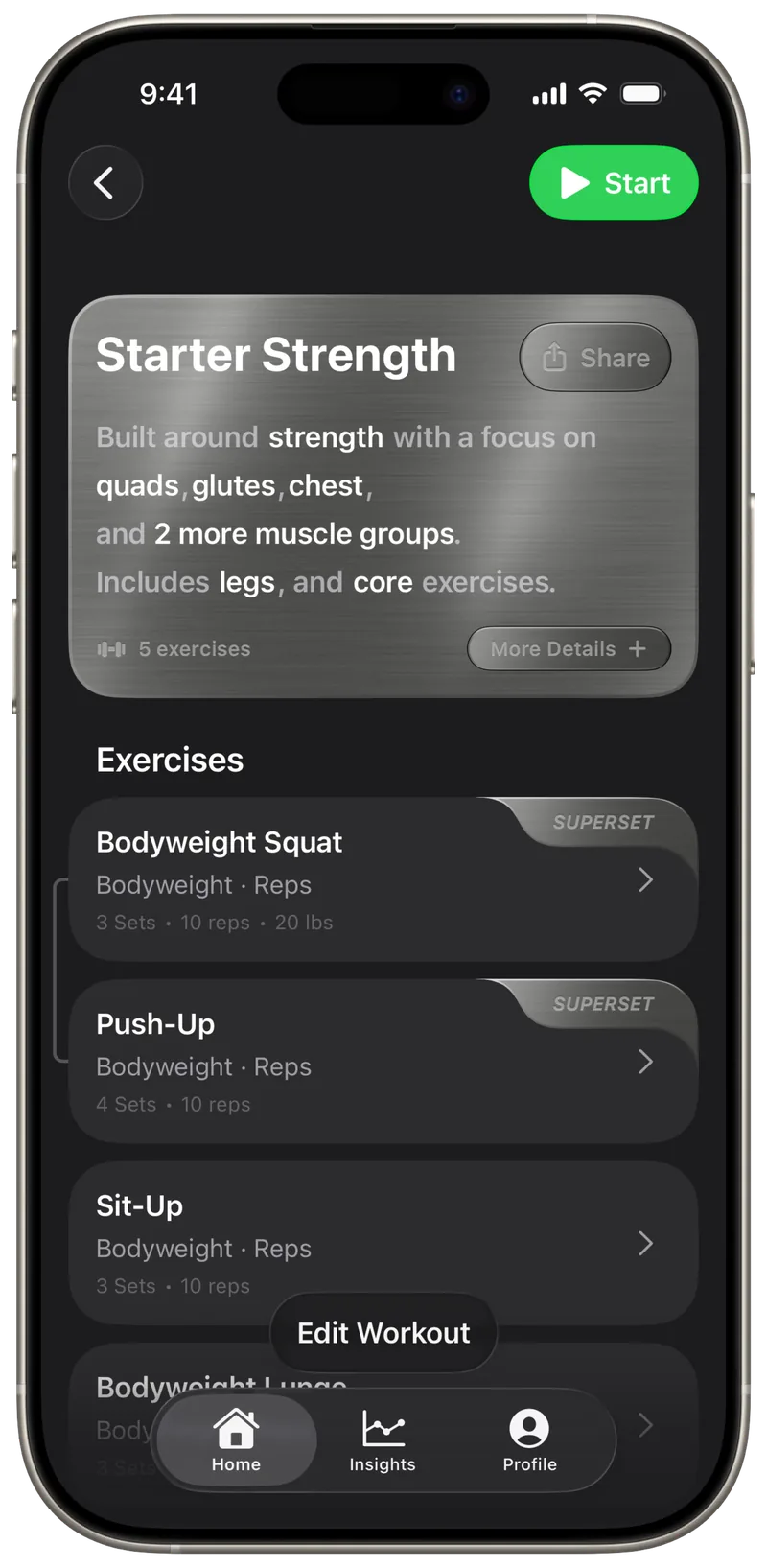
Exercises can track reps, time or distance, with supersets, circuits and a rest timer between sets.
-
 02
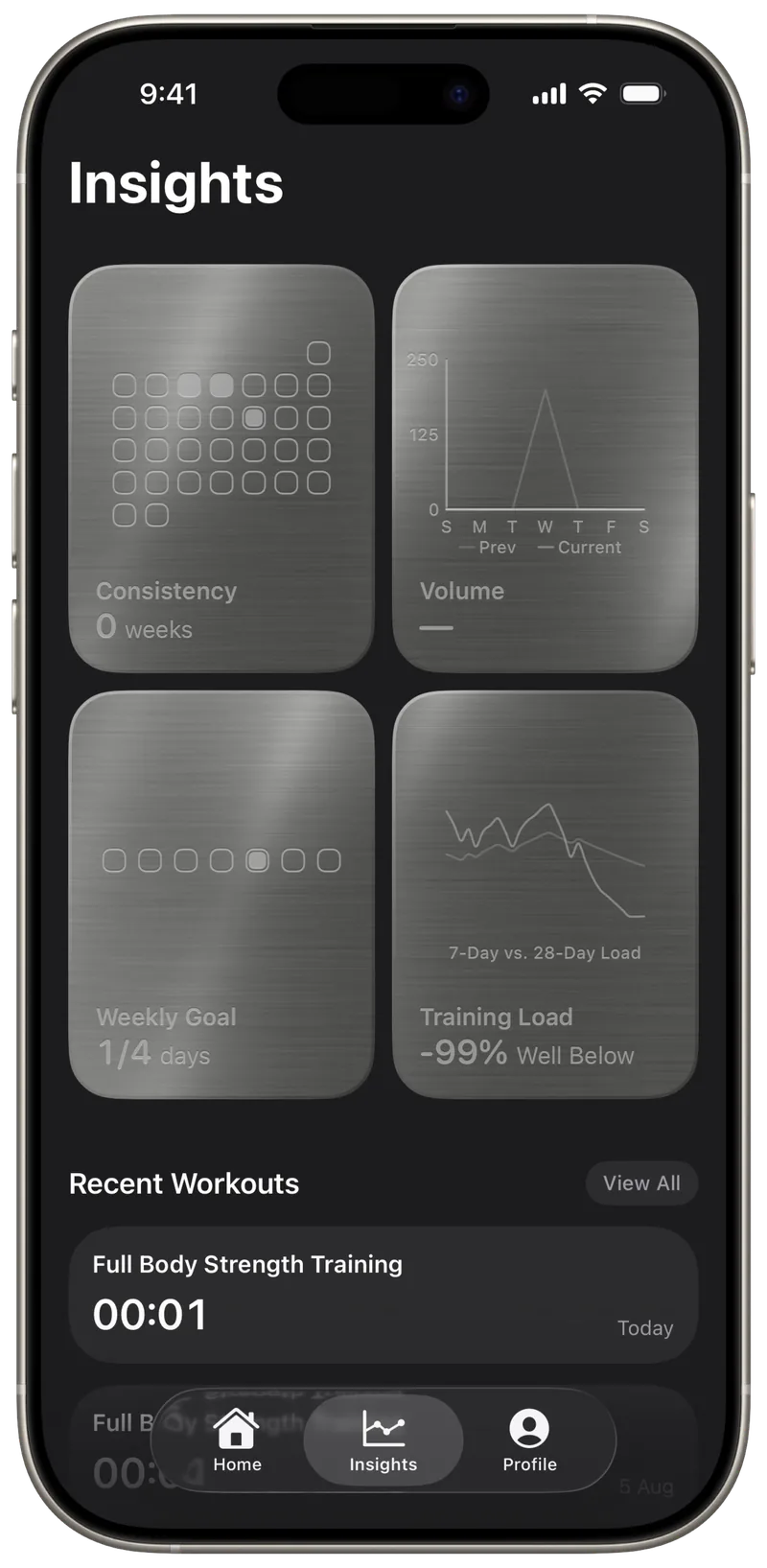
See your training load and consistency
Insights compares your last 7 days with your longer-term baseline and labels the result Well Below, Below, Steady, Above or Well Above.
Consistency, weekly volume and your weekly session goal sit next to it. The Training Load card is part of Specular Pro.* How training load is calculated
-
 03
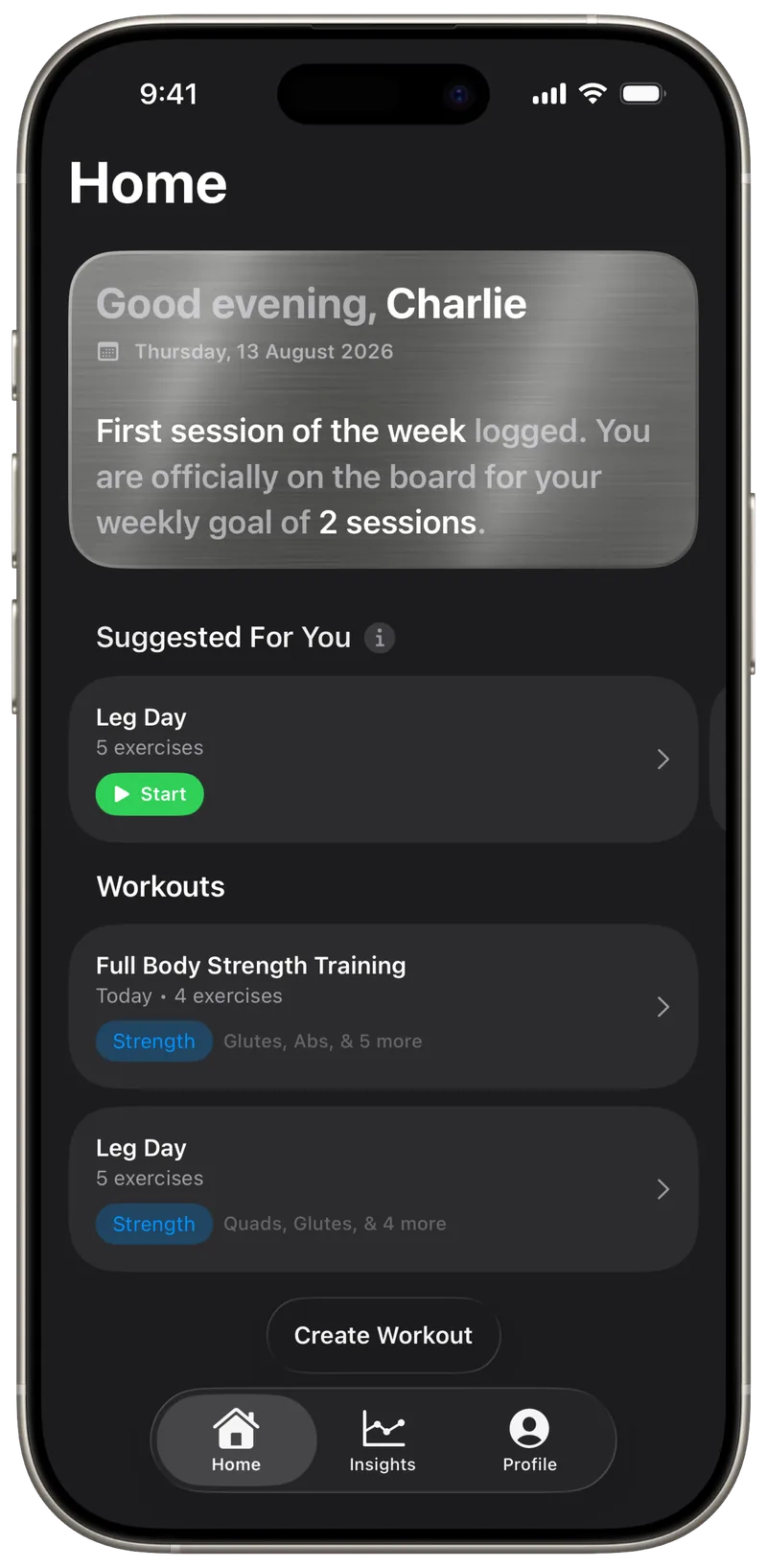
Get workout suggestions based on muscle recovery Pro*
Suggested For You ranks your saved workouts by how recovered each muscle group is, based on the sessions you have logged.
When Apple Health has the data, sleep, resting heart rate and HRV adjust the ranking.
-
 04
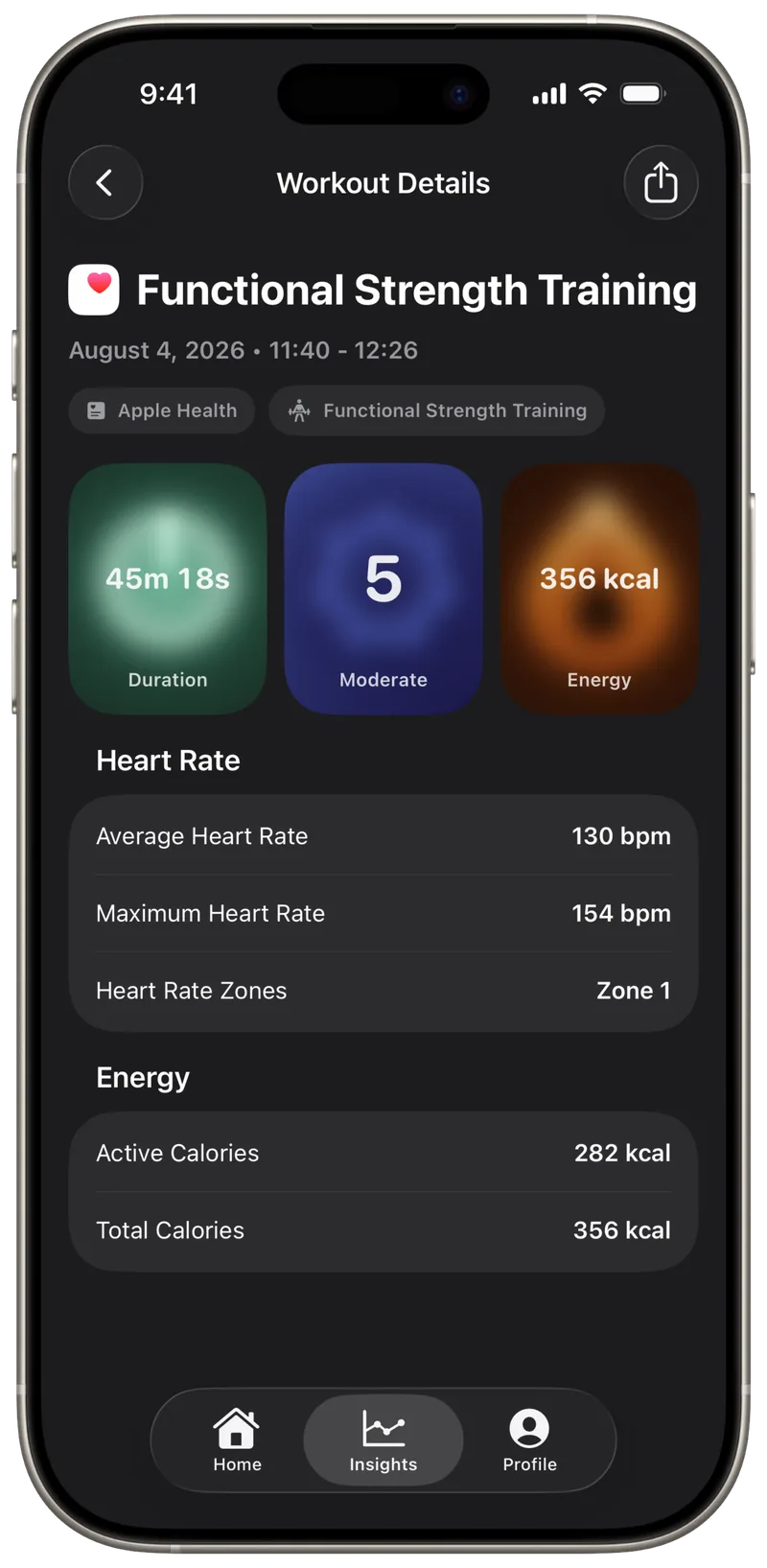
Apple Health workouts, in full detail
Specular imports your workouts from Apple Health and shows duration, effort, heart rate, heart rate zones and energy for each one.
Sessions you log in Specular are written back to Apple Health. Some detailed metrics are part of Specular Pro.*
-
 05
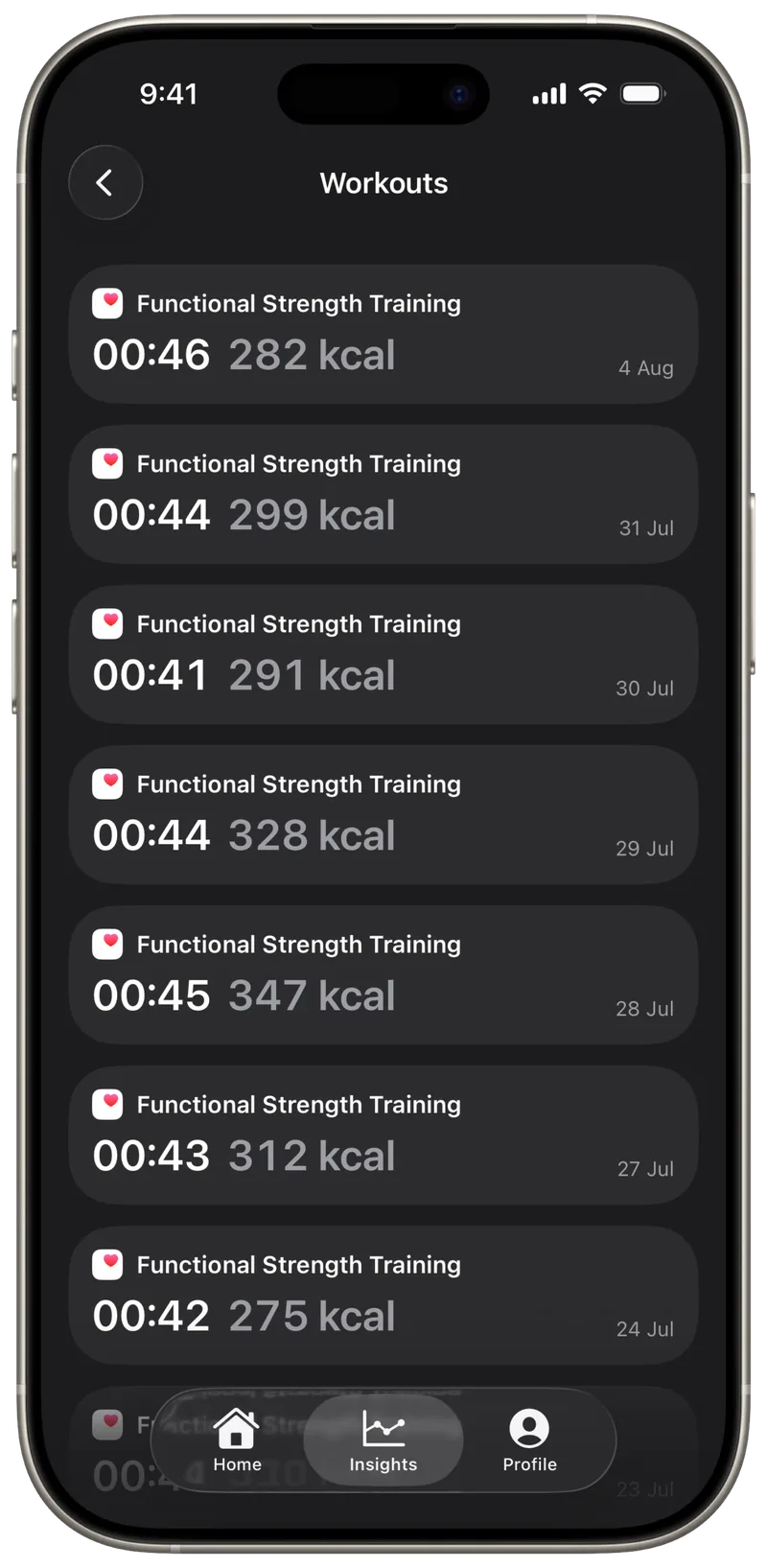
Keep your full workout history Pro*
Every session stays on your iPhone, listed by date with duration and energy.
Look back weeks, months or years and see how your training has changed.
-
 06
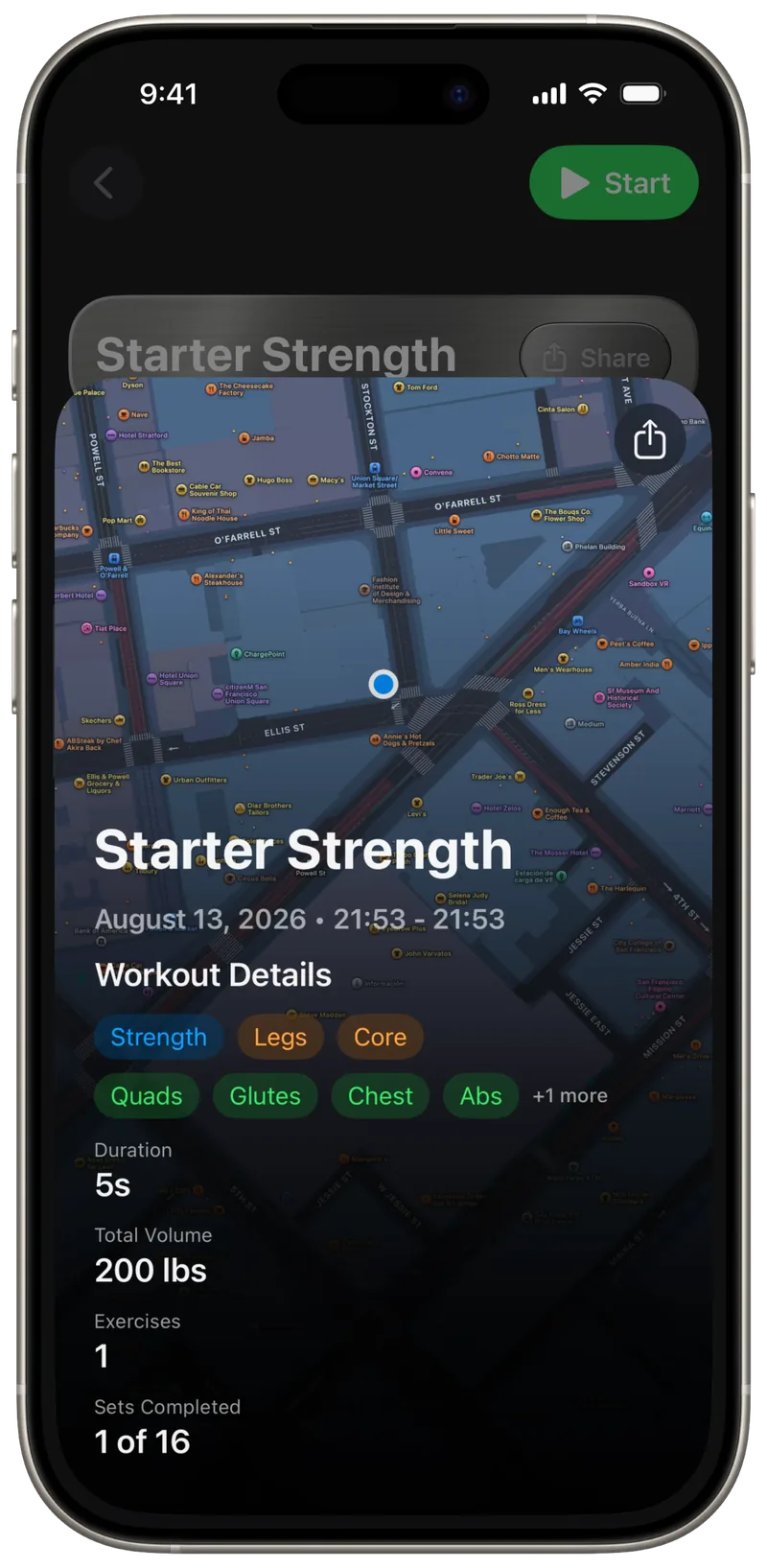
Review each session and share it
The session summary shows duration, total volume, exercises, completed sets, muscles worked and a route map when location was recorded.
Share a workout routine as a link, or turn a session into a story image to post or send.
FAQ
Questions before you download.
Is Specular free?
Yes. Specular is a free download, and you can create workouts and log sessions without paying, with some limits.
Specular Pro is an optional monthly or yearly subscription. It adds full workout history, Training Load, workout suggestions and detailed metrics. The monthly plan may include a free trial for new subscribers. Prices and the trial's length are shown in the app before you subscribe.
Do I need to create an account?
No. Specular has no sign-up and no login.
Subscriptions are handled by Apple through your Apple ID.
Where is my workout data stored?
On your iPhone. If iCloud is on for Specular, workouts, sessions and preferences also sync through your private iCloud account, which we can't access. There's no Specular account and no copy on our servers.
Specular does not use third-party analytics or advertising SDKs. If you use a workout program, the app sends anonymous program usage, which you can turn off in Profile. The Privacy Policy lists the cases where data leaves the device, such as when you create a workout share link.
Does Specular work with Apple Health?
Yes. With your permission, Specular reads workouts, heart rate, energy, sleep, HRV and body measurements from Apple Health, and writes the sessions you log back to it.
You can change what Specular can access at any time in the Health app.
Is there an Apple Watch app?
Not at the moment. Specular runs on iPhone.
Workouts recorded on Apple Watch and saved to Apple Health can still appear in Specular.
Can I import or export my workouts?
Yes. You can export workouts as CSV, JSON, TXT or .specular files and import workout files back in.
Both are in Profile, under Data & Privacy, then Manage Data.
Can I share a workout with someone?
Yes. Specular creates a link to a workout routine that anyone with the link can open.
If the person has Specular, the link opens the workout in the app. If not, it takes them to the App Store.
Is Specular medical advice?
No. Training load, recovery and suggestions are informational estimates based on your data.
They are not a substitute for professional medical or fitness guidance. See the Terms of Service.
See the pattern.
Train with intention.
Download on the App Store
Free download. Specular Pro is optional.